Know when Claude Code needs you, inside the game
Claude Code stops and waits when it has a question or needs a permission. If that prompt is buried in another window, the session sits idle. Claudictive brings it into the game the moment it happens.
Alerts for the moments that block Claude
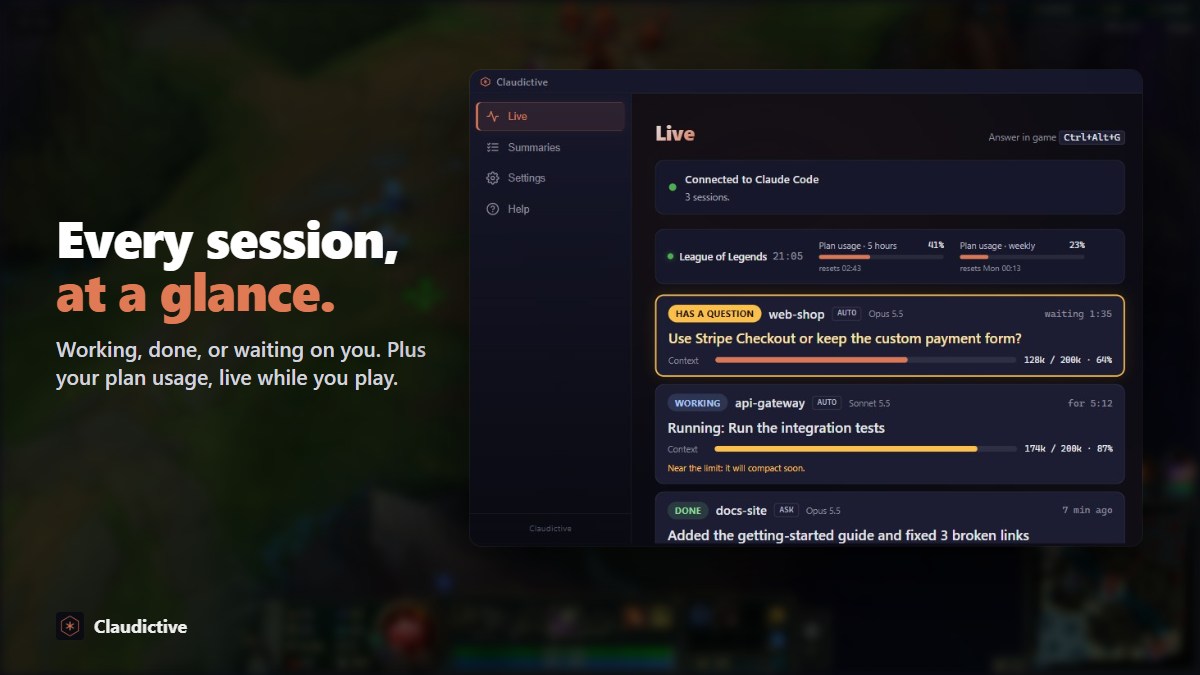
- Waiting for input. Claude asked a question, like which approach to take or whether to commit. You see the question in the game.
- Needs a permission. Claude wants to run a command or edit a file and is waiting for you to allow it.
- Done. A session that finished gets a check mark on its tab, so you can give it the next task between rounds.
Each alert says which terminal it came from, so with several Claude Code sessions open you know exactly which one is stuck.
Answer it where you are
An alert is not just a ping. You can act on it from the game: answer the question, allow or deny the request with Ctrl+Alt+A or Ctrl+Alt+X, or expand the chat with Ctrl+Alt+V to send Claude a message. The answer goes into the same Claude Code session your terminal shows.
How it works
- Install Claudictive from Overwolf and click Connect in the hub. It shows what it adds to
~/.claude/first. - Start Claude Code in any terminal, VS Code, JetBrains or the desktop app, and give it a task.
- Play. When Claude needs you, the alert shows up over the game.
- Answer and keep playing. Claude carries on the moment you reply.
See everything on a second screen
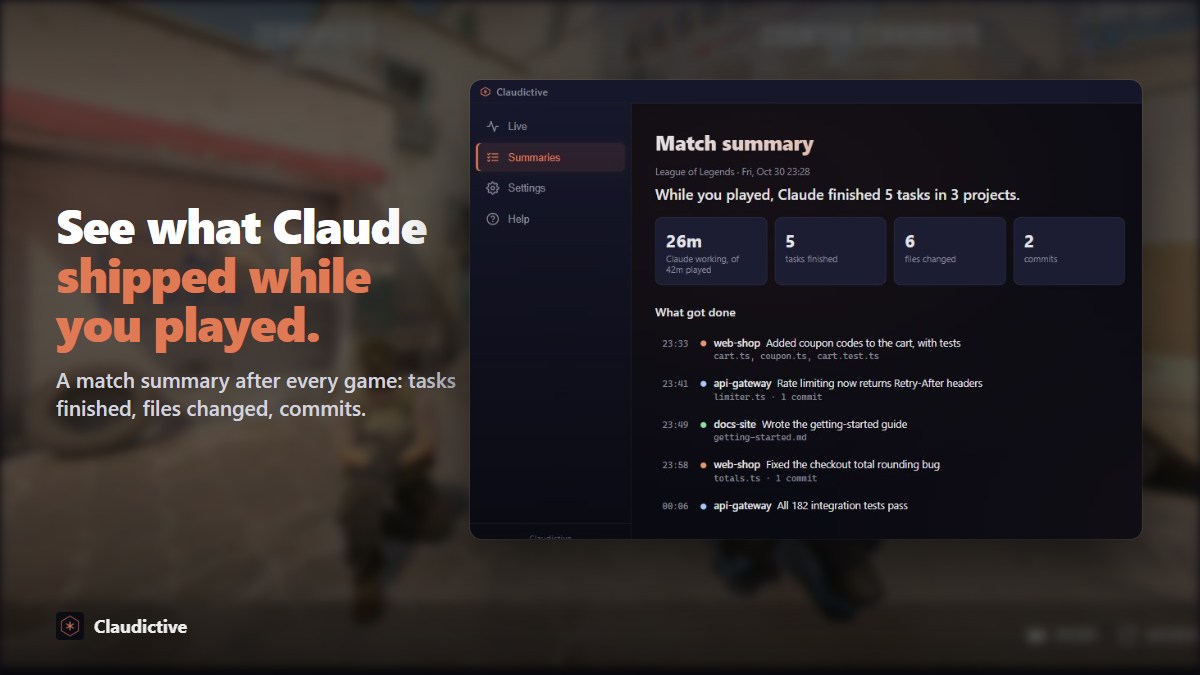
The desktop hub has a live board with one card per Claude Code terminal: has a question, needs you, working or done. After the game, a match summary lists what Claude finished while you played.